k7k7 Login: Your Quick Way Into the Account With a Phone Number
Enter the mobile number you registered with and your password in the boxes below. Once you're in, your balance, deposit history and game lobby are all in one place.
k7k7 Login: Which Route Saves You Time
There are three separate ways into your account. Pick the one that fits how you play and you'll spend less time resetting passwords. Compare them below and choose.
| Login route | Speed | When it helps | Watch out for |
|---|---|---|---|
| Mobile number + password | Fastest — done in two boxes | A new phone or someone else's browser | Type the number exactly as registered, without extra spaces or a separate country code |
| Login with username | About the same speed, but you have to remember the name | You changed your phone number, or the device is shared with family | Forgot the username? Log in with your number and check it in your profile |
| Login inside the app | Fastest of all — details are saved | Daily play with notifications switched on | An old APK can block login — grab the latest file |
All three routes lead to the same account and the same balance. Log out on one and sign in on another and your game history, bonuses and withdrawal details stay exactly the same. The only thing that changes is the session — you can't keep the account open on two devices at once.
Forgot Your Password? Get Back In in Three Steps
If you can't recall your old password, there's no need to open a new account. As long as your number is registered, you can get back in within a few steps.
-
Start the reset
Tap the "Forgot your password" link under the login form, then enter your account's mobile number and submit it.
-
Enter the code and set a new password
Type the one-time code sent to your number into the field. Then enter your new password twice — both boxes must match exactly.
-
Log in and check everything
Sign in with the new password. For security, your old session ends, so you'll need to log in again on any other device.
If the code doesn't arrive, check the spam and promotions folders in your messaging app first, then switch networks and try again. Don't send the same request over and over — each new request cancels the previous code and makes the wait longer. If nothing shows up after a few minutes, message 24/7 live chat with the last few digits of your number and the time you made the request.
Which fix to try first when you can't log in
Most login problems clear up in seconds once the real cause is found. Find your issue in the list below, then try the matching fix first.
| What you're seeing | Likely cause | What to do |
|---|---|---|
| Password shows as wrong | Caps Lock is on, an extra space at the start or end, or an old password saved in the browser | Clear the saved details and type it by hand. If that still fails, start the reset process — it cancels the old password. |
| Account locked | Too many wrong passwords entered in a row | Wait a few minutes, then try again with the correct password. If the lock doesn't clear, tell live chat when you last logged in. |
| Code is slow to arrive | Weak network, SMS congestion, or one digit in the number typed wrong | Restart your phone, check the spam folder, and match the last few digits of the number. Don't request it again and again in a hurry. |
| Page won't open, spinner keeps turning | Slow internet or old cache stored in the browser | Switch from Wi-Fi to mobile data and clear the browser cache. If that doesn't work, try logging in through the app. |
| Balance shows zero after login | You've logged into the wrong account, or the page hasn't refreshed | Log out and log in again. Check the deposit history to see whether your latest transaction is listed. |
| App won't open or keeps closing | Outdated APK, low storage, or an install that didn't finish properly | Delete the old file and install the new version, then restart your phone once. |
If the same problem happens twice, note down which step you get stuck on. Having that detail ready when you talk to the support team gets you a much faster fix.
Four rules before you send money to a mobile wallet
Most people deposit right after logging in. Keep these four rules in mind and you cut the risk of losing money by a lot.
Your PIN and code stay with you
Nobody but you needs the PIN or one-time code for bKash, Nagad, Rocket or Upay. If someone calls claiming to be from the support team and asks for them, hang up straight away.
Only the number shown on the site
Send money only to the number and reference shown on the deposit page. Money sent to an unknown number from an SMS or another app is very hard to get back. Minimum deposit is ৳500.
Keep the TrxID and a screenshot
Write down the TrxID for every transaction or take a screenshot. If the money doesn't land in your balance, that's the fastest way to get help. Deposits usually add within 6 minutes.
Don't let anyone rush you
If someone pressures you with "send it now or your bonus is gone", stop. Transactions are never tied to a last-minute deadline. If you're unsure, go to live chat and ask.
How to log in on web and in the app
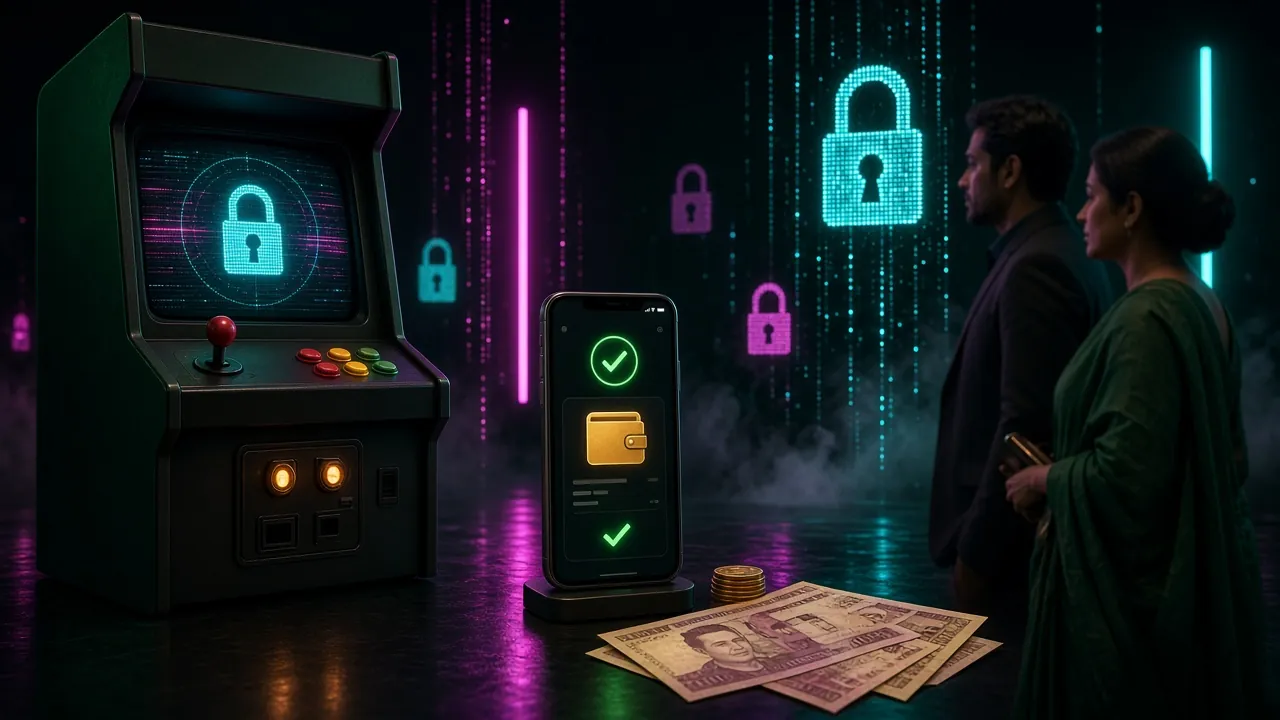
The browser and the installed app run the same account. The only difference is how many steps it takes and how much information stays saved.
From the browser
- Open the site in your phone browser and tap the Log In button in the top right corner.
- Enter your number and password. On your own phone you can tick "Remember me".
- Tap "Log In". If your balance shows, you're in.
- Log out when you're done, especially on a shared phone.
From the app
- Download the file from the APK page (version 3.6.8, size 36 MB).
- Allow installs from unknown sources in your phone settings, then open the file.
- Open the app and enter your number and password on the login screen.
- When a new update arrives, delete the old one and install the fresh file.
If you log in every day, the app is the handier option since your details stay saved after one entry. On someone else's phone or at a cyber café, the browser is the better pick — just remember to log out when you're done. Before cashing out, check the Withdrawal Guide.
What People Ask Us Most
What if I forget my password?
Tap the ‘Forgot Password’ link under the login form. Enter the mobile number on your account, put in the code sent to your phone and set a new password. Log back in with the new password and you're done. Don't keep requesting the code — that cancels the earlier one and makes you wait longer.
No code yet — where should I look?
First check the spam or promotions folder in your messages app, then restart the phone. Make sure the number matches the one you gave at registration. If it still hasn't arrived after a few minutes, tell 24/7 live chat the last digits of your number and when you made the request.
Can I unlock a locked account myself?
A few wrong passwords in a row shuts login for a while. Wait a little, then try again with the correct password. If it still won't open, go to chat and tell them when you last logged in and which device you were on — the support team will point you the way.
Can the same k7k7 Login stay open on two phones?
An account can't be kept open on two devices at once. Logging in on a new phone may end the old session, and you'll have to log in there again. Changing your password closes every old session on its own — that's part of keeping the account safe.
I can't get into the app — what now?
First check whether the APK is up to date; an old version can block login. Keep your phone's date and time on automatic — a wrong time stops the code working. If it still fails, delete the file and install it fresh, or log in from the browser instead.
How long until a deposit hits my balance?
Usually within 6 minutes. After sending the money, give it time and don't repeat the same transaction twice. If it's late, check whether it shows in your history; if not, send the TrxID and a screenshot to live chat and the team will look at it quickly.
For anything more about k7k7 Login, our 24/7 live chat is open. No account yet? Register now, then visit the bonus page to take the first deposit bonus.
Register Now