k7k7 APK: get straight into the app on your Android phone and start playing
The file is 36 MB, free to download, and runs on any phone with Android 6.0 or later. Once installed, the home screen icon takes you to the lobby, slots and cricket markets — no typing addresses into a browser.
k7k7 APK download: file, size and phone requirements
Tap the button below and the k7k7.apk file lands in your phone's download folder. The file comes straight from our own server, so there's no need to hunt around third-party APK sites.
What to know about the installer beforehand
| Item | Details |
|---|---|
| Version | 3.6.8 |
| File size | 36 MB |
| Minimum Android | 6.0 |
| Latest update | 15 November 2026 |
| Cost | Free |
| Language | Bangla / English |
What iPhone users should do
APK files don't run on iOS, so the download button won't work on an iPhone. Instead, add the site to your Home Screen from Safari — it opens like an app, gets its own icon, and takes up no extra space.
- Open k7k7.vin in Safari and log in.
- Tap the Share icon at the bottom.
- Pick “Add to Home Screen” from the list.
- Name it k7k7 and tap “Add” — the icon lands on your desktop.
Games and features waiting as soon as you open the app
- Over 5,000 games in one lobby, from slots to live dealer tables.
- Deposits through bKash, Nagad, Rocket or Upay land in 6 minutes, minimum ৳500.
- Withdrawal requests are processed in 26 minutes; the first one can take about 1 hour.
- Stuck on installing? Live chat helps in Bangla 24/7.
The two most played games in the app


Both run in the app and in the mobile browser — same account in both places.
Why the permissions: the app's access list
Android will ask for a few permissions during install. The table below shows what each one does and how to turn it off.
| Permission | Why it's needed | How to turn it off |
|---|---|---|
| Storage | Keeping update files, sending screenshots or documents in live chat | Settings → Apps → k7k7 → Permissions → turn off Storage |
| Notifications | To send bonus, deposit and withdrawal updates and news before a match starts | Turn off notifications in your phone settings or inside the app |
| Camera | To photograph documents during ID checks | The app still works without it, you just can't take photos |
| Location | Not needed for the app — choose “Never” if you prefer | Settings → Apps → k7k7 → Permissions → turn off Location |
Our app never asks to read your contacts, SMS or call logs. If someone claims otherwise, that file isn't ours.
How to download the file safely
- Only the button on this pageSkip APK links from Facebook groups or forwarded messages.
- Check the sizeAfter downloading, make sure the file is 36 MB — anything smaller came through incomplete.
- Unknown sources only while installingTurn it back off in Settings once you're done.
- Keep Play Protect onYour phone can catch suspicious installers on its own.
App vs browser: which one suits you when
Same ID, same balance and same bets in both. Only the way you open it and the extras differ, so pick whichever fits your habit.
k7k7 APK
- Opening speed
- One tap on the Home Screen icon, lobby loads almost instantly
- Data use
- Loaded parts stay cached, so reopening uses less data
- Notifications
- Bonus and match-start news reaches your phone
- Install
- Required: a 36 MB file and Android 6.0 or above
- Updates
- Download the new APK and install it over the old one
- Who it's for
- People who open it several times a day and want notifications
Mobile browser
- Opening speed
- You have to open the browser and type the address — a few seconds more
- Data use
- The page reloads each time, so data use is higher
- Notifications
- No notifications, and very limited even if you allow them in the browser
- Install
- Nothing to install — it runs right in the browser
- Updates
- New versions load on their own, you do nothing
- Who it's for
- For people who drop in now and then, or want to test it on a new phone
Keep it running smooth on slow net and low-RAM phones
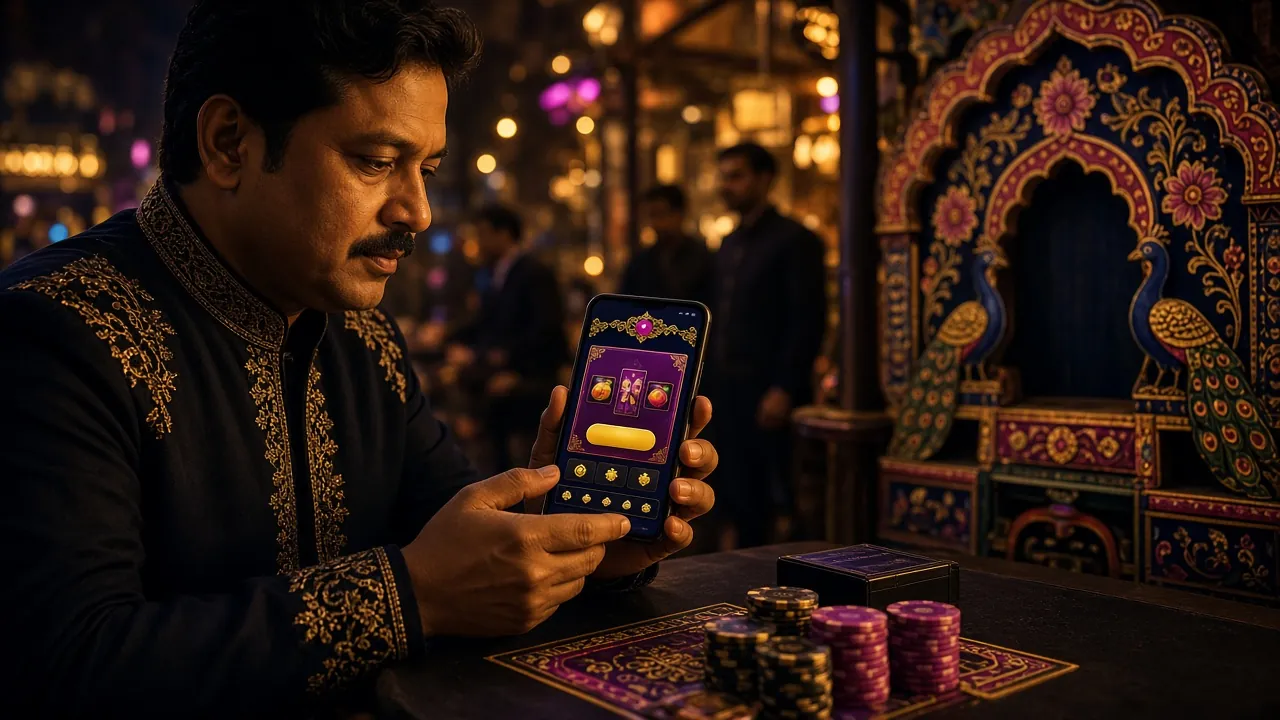
On a ১ or ২ GB RAM phone, running many apps together causes lag, and pictures take time to load on ৩G. Follow the small settings below and both opening the app and scrolling will feel easier.
- Close the background apps before you start playing.
- Keep in-app sound and animations off — your battery lasts longer too.
- Clear the app cache once a month; old files eat up space.
- Pull updates over Wi-Fi and save mobile data for playing or logging in.
- On ২G or weak ৩G, open the live dealer tables later — check the slots or betting markets first.
- Battery saver mode can shut the app down mid-game, so leave it off.
Where to look when the install gets stuck
These five problems come up the most. Each one has the cause and the fix listed under it — tap to open.
The install never even starts, it just says "blocked"
Cause: Installing from unknown sources is turned off in your phone's security settings.
Fix: Settings → Security → Special access → Install unknown apps → allow the browser or file manager you are opening the file with. Turn it back off once the install is done.
It shows a "parse package" error
Cause: The file did not finish downloading, or your phone's Android version is below ৬.০.
Fix: Delete the old file and download it again from this page, and check that the size shows ৩৬ MB. If your Android is too old the app will not run — in that case open the site in your browser and play there.
The install stops saying "no storage"
Cause: The file is ৩৬ MB, but the phone needs close to double that space while installing.
Fix: Free up space by clearing old files in the Downloads folder, videos in the gallery and apps you hardly use, then tap install again.
It installs, but closes the moment you open it
Cause: Cache from the older version has piled up, or the install was only half finished.
Fix: Settings → Apps → k7k7 → Storage → Clear cache and data, then restart the phone. If that does not help, uninstall and install it fresh.
The download hangs at ৯৯%
Cause: The network changed mid-download, or the browser's download list has jammed.
Fix: Switch to Wi-Fi or a steady connection, cancel the old one from the download list and start again. Still stuck? Try another browser.
Five habits that keep your login details safe
Once the APK is installed, keeping the account safe sits with you. These five habits head off most of the trouble.
- A separate, strong passwordMix letters, numbers and symbols. Do not reuse a password you have on any other site here.
- Stay careful on a shared phoneIf the family shares the phone, log out after every session and keep "Remember password" switched off.
- Check the linkNever type your password into a "bonus" link that arrives on WhatsApp or SMS. Look first and confirm the address is k7k7.vin.
- Log out after you finishNot just on a public or shop phone — it's worth logging out at the end of the day on your own phone too.
- Keep your phone number linkedIt makes verification easier if you forget your password or sign in on a new device. Before your first withdrawal you'll need to verify your identity with an NID, passport or driving licence, and the review takes about 6 hours.
If you spot anything unfamiliar in your account, change your password right away and tell us on 24/7 live chat.
Install the k7k7 APK step by step
On Android 6.0 or later the whole thing is done in five steps and won't take more than five minutes, even the first time.
-
1
Turn on the permission
Settings → Security → Unknown sources. On Android 8 and above this permission is per app, so give it to your browser specifically.
-
2
Download the file
Tap the button on this page and the 36 MB file lands in your Downloads folder.
-
3
Tap Install
File manager → Downloads → k7k7.apk → Install. Done in a few seconds.
-
4
Open it and log in
Sign in with your existing ID, or if you're new, open one in about a minute from the registration page.
-
5
Stay updated
When a new version comes out, download the file from this page and install it over the old one.
Don't forget to switch off the unknown sources permission once the install is done. If you run into login trouble, check the login guide.
FAQ: downloads and installation
Is the k7k7 APK file safe?
The file comes straight from our own servers, not from any outside APK site. Before installing, check that the size is 36 MB, and keep Play Protect switched on. If anything feels off, cancel the install and let us know on 24/7 live chat — the team will check the file and get back to you.
What do I do if my phone says “Blocked” during install?
Go to the security or special access section in Settings and allow installs from unknown sources. After Android 8 this permission is per app, so you have to grant it to the browser or file manager you're opening the file with. Turn the permission back off when the install is finished.
How do I update when a new version comes out?
Download the new APK from this page and install it over the old one — your login and balance won't be wiped. The app doesn't update itself, so it's worth checking this page once a month. The current version is 3.6.8, last updated 15 November 2026.
Can I run an APK file on an iPhone?
No, iOS doesn't support APK files. iPhone users can open the site in Safari, tap the share menu and choose “Add to Home Screen” to get an app-style icon that opens the lobby in one tap. No separate install and no extra storage.
Do the app and the website need separate accounts?
No. The same ID and password you play with on the website work in the app, and the other way round. Rounds you play in the app are added to your website account, so your balance stays the same in both places. If you're new, you can open an ID in about a minute from the registration page.
How long do deposits and withdrawals take?
Deposits through bKash, Nagad, Rocket or Upay usually reach your balance in 6 minutes, ৳500 minimum. Withdrawal requests are processed in 26 minutes, though the first one can take about 1 hour because of identity verification. You can withdraw up to ৳55,000 a day.
If you get stuck downloading or installing the file, take a look at the login guide and the game types on the casino lobby page, or just ask on 24/7 live chat.